
This article describes how to download a file from the Mdia Load website

Mdia Load is a file sharing site that has both Free and Premium (paid) features. The site allows users to upload/download large files for free or subscribe to premium plans.
Premium Plans
Maximum Download Speed, Direct Download, No Waiting & No Captcha.
Steps to Download a File Using "Free Download" Feature
- Go to the file: Find a file that you want to download.
- Use Free Download: Select the "Free Download" option

- Wait the 30 Seconds: There is a countdown timer that you have to wait to complete the countdown
- Solve the Captcha: You must also solve the captcha (usually just a "Verify" checkbox)
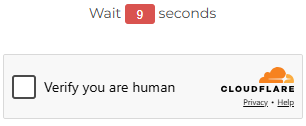
- Use Create Download Link at Bottom of the Page: You must ignore the "Create Download Link" button just below the captcha - instead scroll down and select that "Create Download Link" button at the bottom of the page
- Select "download": You will be presented with information about the file and two (2) "download" options - the first one is the one to use. If you are presented with only a single "download" option - select it then use the "back" button on your browser to return to the previous page and you should see the 2 "download" options (select the first one to start your download)
Enjoy!